Sign in to Fortress OS
What Is the Best Property Management Software for Growing Portfolios?

The best property management software for a growing portfolio keeps leasing, maintenance, accounting, reporting, resident communication, and compliance in one system, so more units do not mean more manual work. If your team runs spreadsheets and disconnected tools to finish everyday tasks, the software is capping your growth.
Key takeaways
Fit driven by your portfolio, workflows, and growth plans
Centralized operations over more disconnected systems
Reporting, maintenance, leasing, accounting, and communication working together
Compliance built into daily workflows for affordable operators
Less manual work, fewer workarounds
Looking for the best property management software? Learn how to evaluate platforms, compare key features and choose the right solution for a growing portfolio.
Introduction
If you are trying to find the best property management software, you are probably not looking for another feature list. You have seen plenty. Every platform promises better reporting, easier leasing, stronger communication, and more automation, and after a while the comparison pages blur together.
What you actually need to know is which software helps your team operate as the portfolio grows. More units should not mean more spreadsheets, more duplicate data entry, and more disconnected systems. The best property management software is rarely the biggest platform or the one with the longest feature list. It is the one that fits how your team works and keeps fitting as you grow.
What Is the Best Software for Property Management?
The best software for property management depends on the property types you manage, how complex your operations are, and where the organization is headed over the next few years. A company running 100 market-rate units has very different needs from an affordable housing operator running thousands of units across several states, which is why no single platform wins for everyone. Most property management systems offer some combination of:
- Leasing
- Rent collection
- Maintenance management
- Accounting
- Reporting
- Resident communication
- Tenant screening
- Document storage
How well those functions work together is the difference. Many operators find their software handles individual tasks fine and stumbles on complete workflows. Leasing lives in one system, maintenance somewhere else, reporting needs exports, and accounting needs extra work outside the platform. That is not a workflow. A property management platform should serve as the system of record for your operation rather than another place information waits for a spreadsheet.
What Features Matter Most for Growing Portfolios?
Growing portfolios need software that cuts operational complexity as unit counts climb. The hard part is not adding units. It is holding consistency, visibility, and efficiency steady as more properties, employees, and processes enter the picture, and the features that matter most are rarely the ones a sales demo opens with.
Centralized Operations
Every department should work from the same information. When leasing, maintenance, accounting, and reporting sit in separate systems, your team burns hours searching, reconciling, and chasing issues that should have been visible from the start. A centralized system removes those handoff points and keeps everyone reading the same record.
Maintenance Management
Maintenance is the most visible function in property management, and it is where software gaps show first. Work orders should be easy to create, assign, track, and close without a second system or a manual update. Every hour your team spends managing the maintenance process is an hour not spent resolving a resident's issue. See how Fortress handles maintenance workflows.
Reporting and Visibility
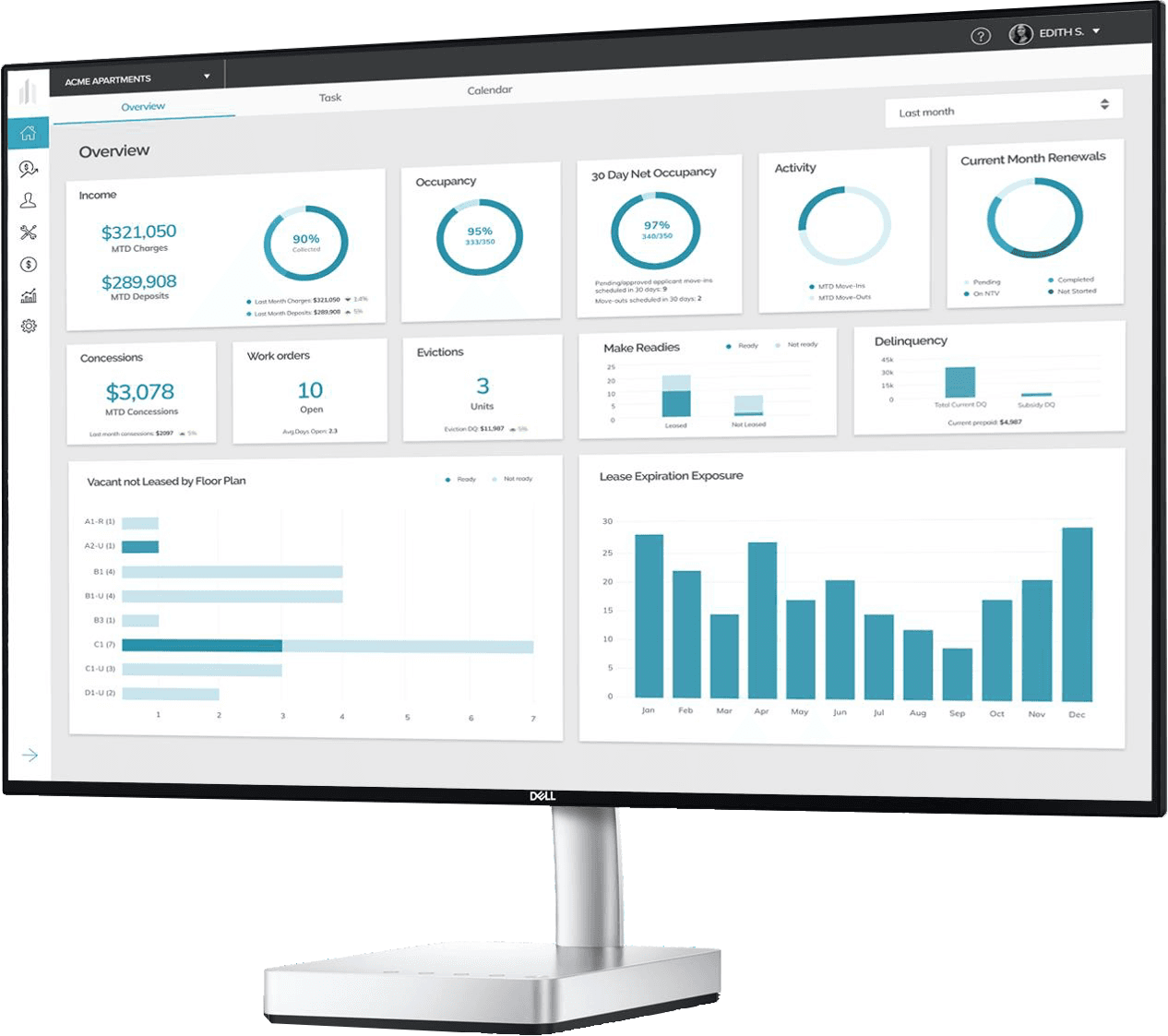
Leaders need current information to make decisions, and here is one opinion we will stand behind: real-time reporting should be real-time. If a report needs multiple exports, spreadsheet manipulation, and one employee who knows which formulas to trust, that is delayed reporting with extra steps. Growing organizations need visibility into operations, occupancy, maintenance performance, and financial data without waiting for someone to update it by hand.
Integration Capability
Very few property management companies run on a single piece of software. Screening providers, accounting systems, communication tools, and other technology all play a part in the day, and the ability to connect them matters more with every property added. Put integration flexibility in the evaluation from the start.
How Do You Know You've Outgrown Your Current Software?
Many organizations stay with software long after it stopped serving them, and the warning signs are operational rather than technical. You may have outgrown your current platform if:
- Side spreadsheets carry daily work
- Reporting starts with a manual export
- The same data lives in several systems
- Staff enter the same information twice
- Workflows differ property to property
- New employees take too long to train
The extra work the software creates is usually the real problem, not the software itself. Every workaround carries a cost in time spent on manual processes, duplicate entry, or fixing errors caused by disconnected systems. Those costs feel manageable at 200 units and grow right alongside the portfolio until small inefficiencies turn into bottlenecks. The 7 signs your software is slowing operations covers what that looks like day to day.
What Should Affordable Housing Operators Look For?
Affordable housing operators face challenges that conventional property management platforms were never designed to address. Programs such as:
- LIHTC
- HUD
- RD
- HOME
- Project-Based Assistance
- Layered Funding
carry compliance responsibilities that touch everyday operations, from leasing and certifications through reporting and document management. Recertifications, income calculations, file reviews, document collection, and layered funding requirements are part of the job, and when those workflows live outside the system, staff end up running compliance through email chains, spreadsheets, and shared drives. Operators evaluating software should look for:
- Compliance-focused workflows
- Centralized document management
- Affordable housing reporting
- Waitlist management
- Online application processes
- HOTMA compliance support
Modernizing the application process is often the fastest efficiency win available. Online applications cut paperwork, standardize data collection, and move applicants through faster. Start with affordable housing property management software if compliance shapes your operation.
What Is the Best Property Management Software for Small Companies?
For a small company, the best property management software is the platform that supports where the business is going, not only where it is. Cost matters, and the decision should account for the next three to five years.
Many smaller operators choose on monthly price and then meet the problems growth brings. Properties get added, reporting requirements multiply, maintenance volume climbs, and more employees need access. What looked affordable at 200 units gets expensive once staff spend hours working around the limits. The cheapest software is rarely the cheapest outcome, because time spent fixing data, building reports by hand, and maintaining workarounds is a real cost that never reaches the pricing sheet. Before selecting a platform, ask:
- Can it support a larger portfolio?
- Can workflows be standardized?
- Can reporting scale with growth?
- Can it integrate with future systems?
- Will it handle changing operational needs?
Those answers matter more than a small difference in subscription pricing. It also helps to read the full breakdown of what you save versus what you risk with a low-cost platform.
Should You Switch Property Management Software Right Now?
Maybe not. If your current platform supports your workflows, gives you reliable reporting, and your team is not building workarounds to finish everyday tasks, a migration will cost you months and return very little.
There are also times when waiting is the right call. Hold off if:
- Your data is inconsistent
- Your processes are undocumented
- Leadership has not aligned on goals
- Teams disagree on workflows
Migrating dirty data does not count as progress. It just becomes messy in a nicer font. Document your current processes first and find where the work actually breaks down, then start evaluating vendors.
How Should You Evaluate Property Management Software Vendors?
Most buyers focus on feature lists, and evaluating workflows works better. Ask vendors to show:
- A complete move-in process
- A maintenance request lifecycle
- Reporting workflows
- Resident communication tools
- Accounting processes
- Compliance workflows
Shop the boring screens, not the pretty dashboard. Day-to-day workflows decide whether software helps your team or hands them another system to manage. Support belongs in the evaluation too, since technology is only half of it. At Fortress OS, every partner gets a dedicated customer success representative.
How Fortress OS delivers long-term value
As the only property management software built affordable-first, Fortress OS was designed for the complexity of affordable housing while also serving market-rate and mixed portfolios. Whether you manage LIHTC, HUD, RD, HOME, conventional communities, or a blend of property types, growth should not mean your team inherits another spreadsheet. Fortress handles compliance, leasing, maintenance, income, and reporting in one system, so adding properties adds units rather than workarounds.
Built by operators, for operators. Posts under this byline are written and reviewed by the team.
Frequently asked questions
Quick answers to what people ask about this topic. Still curious? Talk to our team.
Contact UsWhat is the best property management software?
It depends on portfolio size, operational complexity, and property type. Growing portfolios usually benefit from platforms that centralize leasing, maintenance, accounting, reporting, and communication in one system.
What is the best software for property management companies?
Prioritize workflow efficiency, reporting visibility, maintenance management, and integrations. The right platform helps teams manage more properties without more administrative work.
What is the best property management software for small companies?
Small companies should choose software that supports future growth. A lower monthly price is poor value if the platform creates manual work or needs frequent workarounds.
What features should property management software include?
Most operators need leasing, maintenance, accounting, reporting, resident communication, document management, screening, and mobile access. Growing portfolios should also weigh workflow standardization and integrations.
When should I replace my property management software?
Consider alternatives when reporting requires manual exports, teams rely on spreadsheets, duplicate data entry becomes routine, or staff build workarounds to finish everyday tasks. And if the report your board relies on lives in a folder called FINAL_v12_USE_THIS_ONE, that is your answer. Book a demo and see Fortress OS in action .